Windows app · BJJCZ / JCZ fiber lasers
Your BJJCZ fiber laser,
without EZCAD2.
OroCut is a modern, layer-based laser program for engraving and cutting gold and silver nameplates and jewelry. Import your artwork, fill it with hatch, pick a preset, see exactly what will fire, then send it to the laser. Only the features a jewelry shop uses, none of the noise.
- Replaces EZCAD2 on the same board
- Layers, hatch fill, presets
- Preview before you fire
- In daily production in Tampa
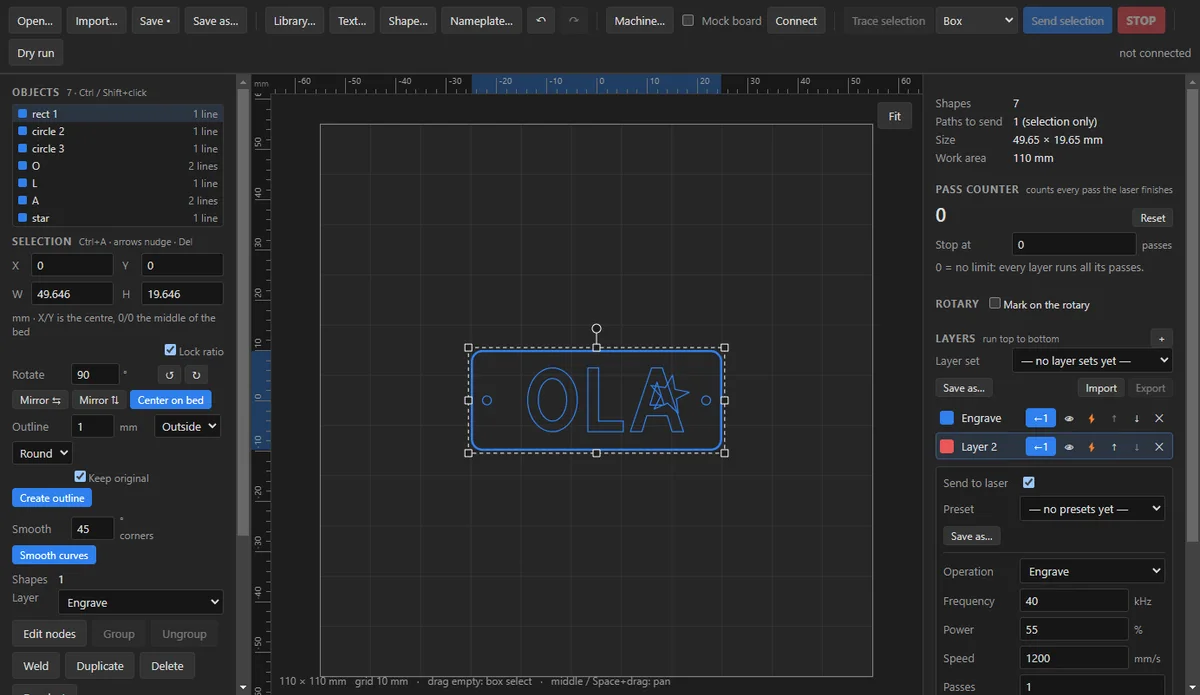
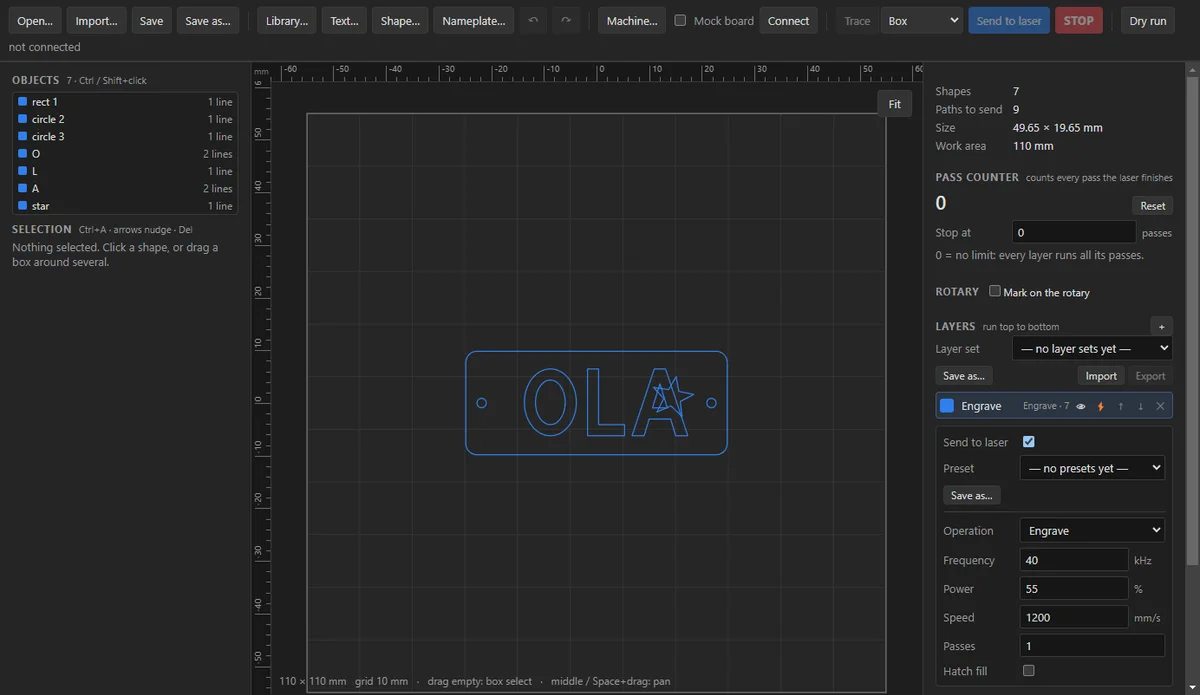
Real screen from the app · CutDesign 0.0.1
Why it exists
Built by a jewelry shop that was tired of EZCAD2.
LightBurn-style, not EZCAD2-style
Layer-based, modern, direct manipulation on a canvas. Frequency, power and speed live per layer. No pulse-width or wobble fields you never touch.
You see it before you fire it
The canvas renders the hatch, the path order and the work-area bounds. A red-light trace shows the outline on the part. Nothing fires without an explicit confirmation.
Made for gold and silver
Presets by metal and thickness, a nameplate maker with saved styles, "Curve into ring" for names inside a band, and a rotary mode for the inside of a ring.
Features
Every screen below is the real app.
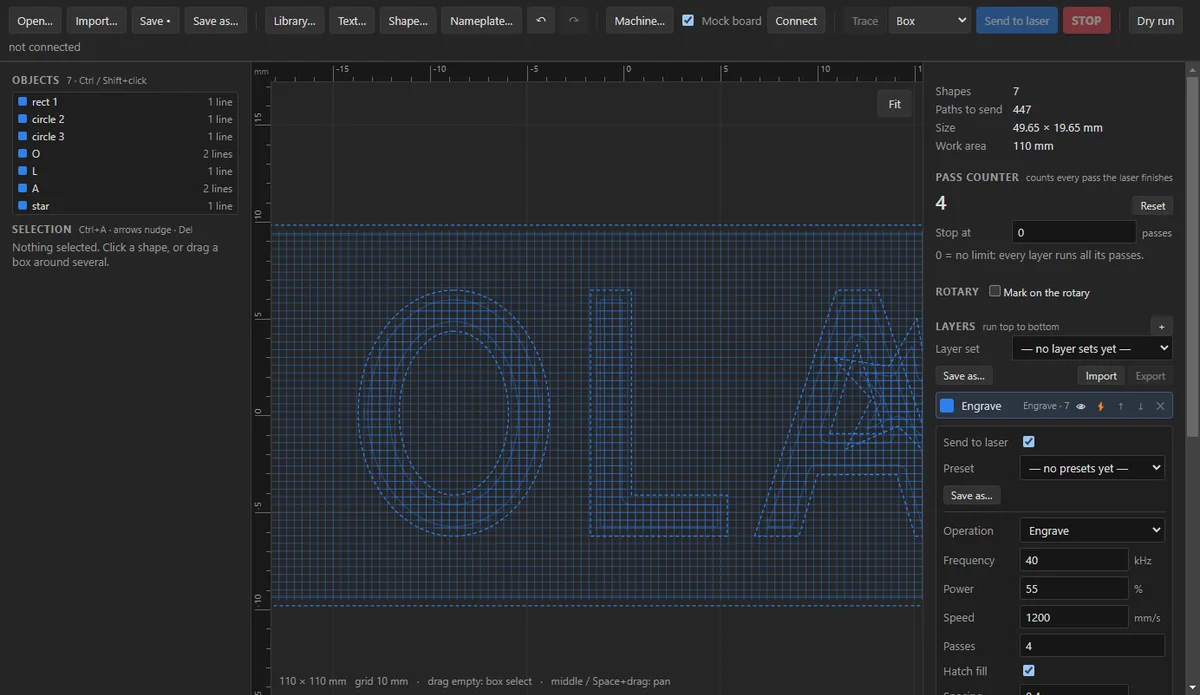
Hatch fill that respects the counters
Fill closed shapes with hatch lines: spacing, angle, cross-hatch, auto-rotate per pass and five patterns (bidirectional, one-way, optimized, zigzag, rings). The inside of an "O" or an "A" stays empty, and you see the lines on the canvas before sending.
Real screen from the app
Presets for gold and silver, by thickness
Save a layer as "10k gold — thin" or "silver — 2 mm cut". Load it, tweak power for one piece without overwriting it, revert with one click. Export presets and whole layer sets as a file so your known-good settings travel to another machine.
Real screen from the app
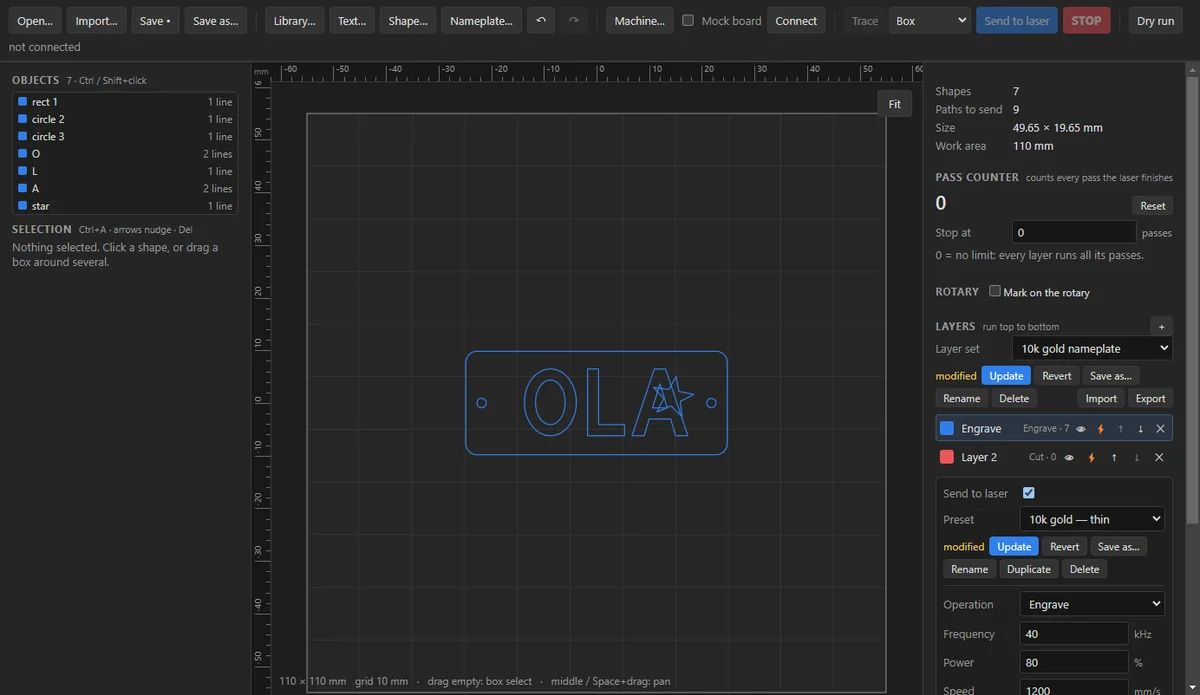
Place a nameplate to the tenth of a millimetre
Numeric X, Y, width, height and rotation beside the drag handles. Mirror, center on bed, align, distribute, nudge with the arrow keys, outline and offset, weld, group, node editing and undo. The work-area bounds are drawn and anything outside them is flagged.
Real screen from the app
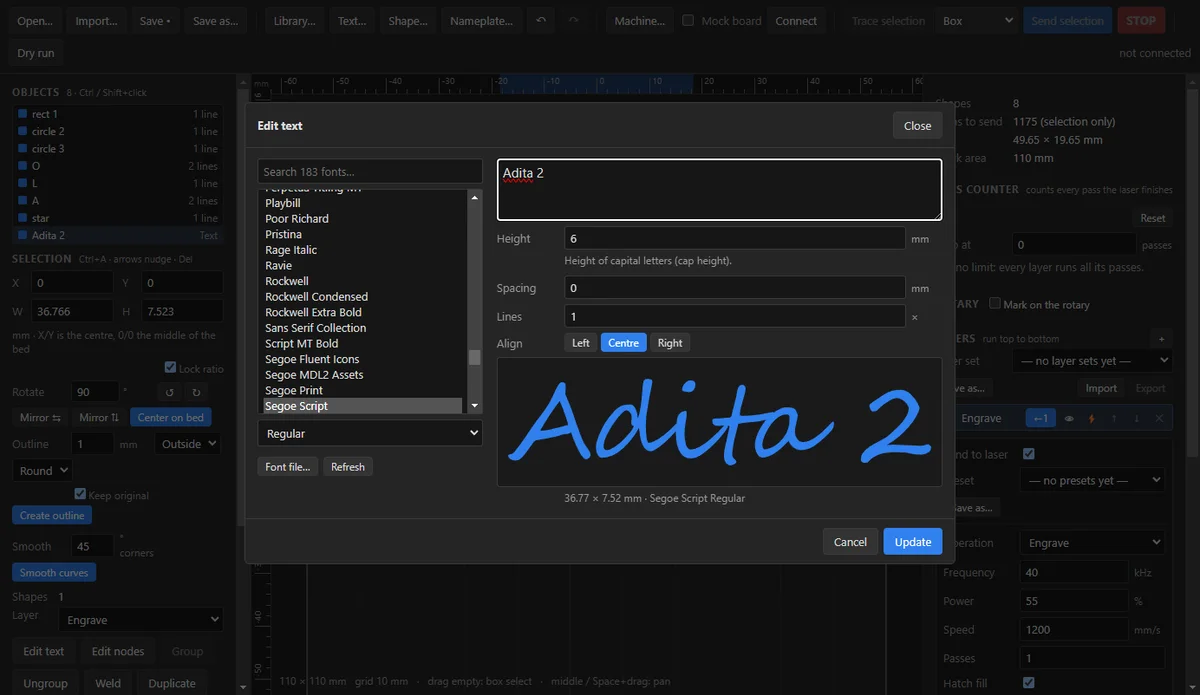
Text in any font, sized by cap height
Type a name, pick any installed font or load a font file, set the cap height in millimetres and the spacing, and it becomes outlines on the layer you choose. Edit it again later. The nameplate maker turns that into saved styles for repeat work.
Real screen from the app
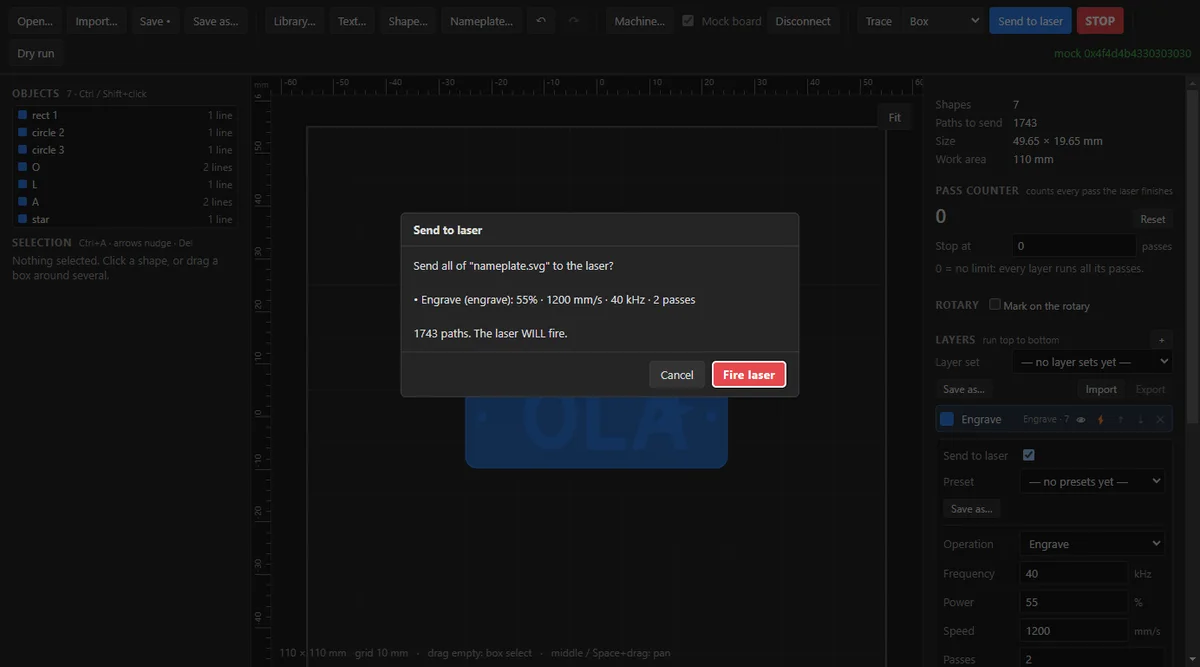
Nothing fires without a confirmation
Send shows every layer with its power, speed, frequency and passes, the number of paths and a job preview with time estimates. While cutting, the design is locked; a STOP button halts the controller itself. A mock board lets you rehearse a job with the laser off.
Real screen from the app
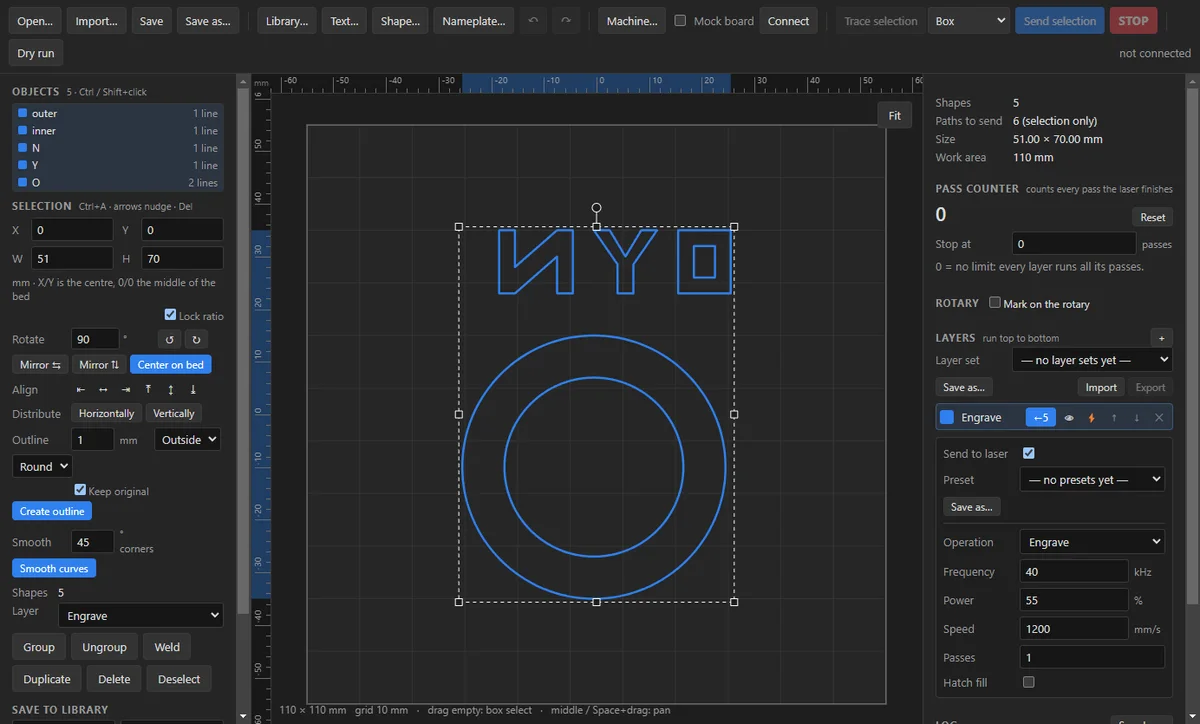
Rings, bands and the rotary
"Curve into ring" bends a name between two circles so it sits inside the band. Rotary mode marks around a part slice by slice, including the inside of a ring, with the work area following the part diameter.
Real screen from the app
And the rest
The small things a shop needs every day.
SVG, AI and EPS import
Including the older PostScript Illustrator files that SignLab exports. Drag and drop onto the window.
Image trace
PNG, JPG, BMP, GIF or WebP traced into vectors, LightBurn-style.
Shapes, arrays, nodes
Rectangle, ellipse, polygon, star, line; grid, staggered and arc arrays; node and curve editing; smooth.
Red-light trace
Continuous trace of the outer box, each object or every outline, to check the position on the part.
Pass counter and cut area
Count every pass the laser finishes, stop at a number, give one part of a design extra passes.
Library and "save as good"
Keep designs and the names that cut well, ready to reuse.
Print at true size
Check a layout on paper before touching metal.
Keep EZCAD2 beside it
Import your machine settings from EZCAD2 and switch between its USB driver and OroCut’s with one click.
Workflow
From artwork to metal in four steps.
01Step 1
Import or type
Open an SVG, AI or EPS, trace an image, or type a name in any font.
02Step 2
Place and fill
Position it on the work area to the tenth of a millimetre and turn on hatch for the engraved face.
03Step 3
Pick the preset
Engrave layer, cut layer, each with its own metal-and-thickness preset.
04Step 4
Trace, confirm, fire
Red-light trace on the part, read the confirmation, send. STOP is always one click away.
Requirements
Does it work with your machine?
- BJJCZ / JCZ "LMC" USB control boards, the ones EZCAD2 drives
- Clone boards too — OroCut loads their firmware itself
- Fiber laser sources (tested daily on a JPT MOPA)
- Rotary attachment, chuck or roller (optional)
- Windows 10 or 11, 64-bit
- CO2 or diode lasers
- Camera alignment or motorised Z / focus
- macOS or Linux (Windows first)
- Windows 10 / 11, 64-bit
- Installs per user — no administrator rights needed
- Runs fully offline — no account, no license server
Not sure about your board? Send us a photo of it and the laser source on WhatsApp and we will tell you.
Made in a working shop
It runs our own laser every day.
OroCut was not built in a lab. Rodriguez Multi Service engraves and cuts gold and silver nameplates and jewelry in Tampa, Florida, and this is the program on the laser PC. Every feature exists because an order needed it; every build is smoke-tested on a simulator first and then checked on the real machine.
- In daily production since
- October 2026
- Built and used by
- Rodriguez Multi Service LLC
Questions
Frequently asked questions
How do I get OroCut?
Request the installer from this site or on WhatsApp, tell us about your machine, and we send you the Windows installer with setup instructions and help you connect the first time.
Will it work with my laser?
If EZCAD2 drives your machine over USB, it is a BJJCZ / JCZ board and OroCut can drive it, including common clone boards. It is for fiber laser sources only — not CO2 or diode. When in doubt, send us a photo of the board.
Do I have to uninstall EZCAD2?
No. OroCut installs beside it, imports your machine settings from EZCAD2, and switches between the EZCAD2 USB driver and its own with one click, so you can go back any time.
Windows shows a warning when I run the installer. Is that normal?
Yes, for now. The installer is not code-signed yet, so SmartScreen warns on first run. Click "More info", then "Run anyway". It installs per user and needs no administrator rights. Signing is in progress.
Does it need internet or an account?
No. OroCut runs fully offline on the laser PC. There is no account, no license server and no cloud. Your presets, library and styles are files on your own disk and can be exported.
Which files can I import?
SVG, Illustrator .ai (both the modern PDF-based kind and the older PostScript Illustrator 3–8 files that SignLab exports) and .eps. Images (PNG, JPG, BMP, GIF, WebP) can be traced into vectors. Text inside a file is flagged so you can outline it in your design tool, or type it again with the text tool.
Can I try it without firing the laser?
Yes. Tick "Mock board" and connect: a simulator takes the job, the pass counter and job timer run, and nothing reaches the laser. Untick it to use the real board.
Is the program in Spanish?
The app itself is in English today. Support is in English and Spanish, and this site is bilingual.
Get OroCut
Request the installer
Tell us about your machine (board, laser source, lens) and we will send you the Windows installer and help you connect the first time.
- Current build
- CutDesign 0.0.1 · Windows 10 / 11, 64-bit
- Installer size
- ~90 MB · Installs per user — no administrator rights needed
About the Windows warning
The installer is not code-signed yet, so Windows SmartScreen shows a warning the first time you run it. Click "More info" and then "Run anyway". Signing is in progress.